LazyWeb Request: iPhone Power Miser
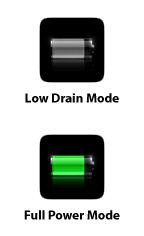 Given how pathetic the new iPhone 3G’s battery life is, and given that Apple recommends you essentially castrate your device in order to get more hours out of it, I have an idea for an app that would make the castration process both quicker and easily reversible:
An app that sits on your home screen and does nothing but turn a set of things on and off.
The app doesn’t even need to launch. Press it once and Bluetooth, Wifi, 3G, Location Services, and Push email all turn on. Press it again and they all turn off. Simple. Perhaps there are even three states to the button where the middle state is configurable.
With the above app, the process of going from power-sucking battery-hog to power-conserving battery-miser would take one-click.
Without the above app, here’s what it takes:
- Click on Settings
- Click on wifi
- Slide wifi slider to off
- Click on Settings Back button
- Click on Fetch New Data
- Slide Push slider to off
- Click on Settings Back button
- Click on General
- Slide Location Services slider to off
- Click on Bluetooth
- Slide Bluetooth slider to off
- Click on General Back button
- Click on Network
- Slide Enable 3G slider to off
- Click Home button to get back to main screen
15 steps! That is crazy.
I wouldn’t even might having my iPhone in conserve mode 90% of the time if it were easy to switch out on demand, but it isn’t. I’m not sure if iPhone developers have access to system settings like this, but if they do, this would make a great app. If not, it would also make a great app… Apple!
This sounds like a great idea…..now who do we need to tell at apple?
If you jailbreak your phone there’s quite a few great apps to toggle settings quickly on/off.
If you are willing to Jailbreak your iPhone there is an application called BossPrefs that gives you access to turn on and off just about all of those in one place. It doesn’t have a one button solution but it’s better than menu hopping. I believe it has hooks to program more switches also inside the app but I never played with that and don’t know how expandable it really is. You can find it here http://code.google.com/p/bossprefs/
As far as a legit app doing that I don’t think it is possible seeing as how those iPhone apps are sandboxed and have little access to anything outside location data and hardware readouts.
Even better is an app that has configurable modes. So I can have a car mode, which has no wifi, but bluetooth and 3g. Home, which is wifi, no bluetooth 3g. All mode, which has everything on. Power save, which has nothing on and no 3g.
In your app model, it’s one click to open the app, then one more click to select and active the mode from a list. You’d fit them all on one screen and so there’s no scrolling. Edit buttons up the top to edit or add modes.
Sadly, this is probably just not possible. It’s a great idea, and I’d love to see it, but app developers are pretty restricted on what they can access — and I don’t think there are any APIs to the settings you’re talking about. :(
I keep 3G off unless it’s needed and I can go two days on a single charge. I also have Wi-Fi on-off Switcher app (via Installer app).
Akin to how power settings can be accessed in OS X on laptops, tapping the battery indicator in the upper right should display a modal overlay allowing the selection of power use modes, which could be configured in Settings or wherever is appropriate (I don’t have an iPhone or Touch).
On my vintage iPhone, the only thing I turned off was location services and it lasts 2 days with normal use. When it was on the service was hanging so it wouldn’t even last a day. Maybe the 2.0.2 update fixed this – maybe not.
[…] https://mikeindustries.com/blog/archive/2008/08/lazyweb-request-iphone-power-miser asks Hoosgot, […]
A great idea for an app! I was wondering if someone coupld come up with something that would turn certain services on/off with one button push versus having to always go into the settings. It should be easier then this.
Or, how about an app that uses GPS locations to turn certain functions on/off. For instance, set up a GPS coordinate in teh app’s memory and when you’re within 100ft of that location, it automatically turns on your wifi. Or, for someone like me who live & works in two different cities – one with 3G, one without 3G – set it up so when I’m within, say, ten miles of the center of the city that has the 3G, my phone automatically switches. Then again, I coupld see this as a power sucking app, as well.
I hear a lot about people having issues with the iPhone battery, but I’m just not seeing it. I plug mine in and charge it overnight and it always gets me through the next day.
My Blackberry Curve would last 2-3 days without a charge, but I wasn’t listening to music, using GPS and apps on it, or browsing the internet all night over wifi.
Not to mention, I’m at a desk all day long (like I suspect many of you are) and could charge it all day long if I needed to. So my question to you, is how long do you need it to last?
Charging it every night it totally reasonable to me. But maybe I’m the lucky one with the great battery (knock on wood)? How long does yours last?
Matt: Yep, a lot like Marco Polo.
Adam: I think a lot of it depends on what services you have turned on. For instance, I have two IMAP email accounts, a .Me account, and an Exchange account. Plus two calendars to sync. Etc, etc.
[…] around a day’s backup. But when I use safari or apps, it lasts me just over 3-5hrs. Here is Mike Davidson, CEO of Newsvine in Seattle idea which is published on TUAW Can any iPhone developers build an […]
[…] Mike Davidson, CEO of Newsvine in Seattle, came up with a great idea for any iPhone developers in the TUAW audience. He’d like to see an iPhone power miser application that could turn off 3G, location services, Wi-Fi, Bluetooth, and push e-mail with one tap (low drain mode), then turn on all of the same services with another tap (full power mode). […]
One basic feature would be to leave WiFi and/or 3G off by default, and switch them on automatically only when needed for fetching data : when opening Safari or Mail or other web linked app.
Having 3G on all the time seems a waste to me, as long as I don’t see the real utility of receiving voice calls in 3G mode (only a slightly better sound).
The HTC phones come with a communication manager. It has a assigned button on the side of the phone (TYTN II) which launched the app and then you just tap on the screen what you want on or off.
So I can turn wifi, bluetooth, 3g, phone in a couple of seconds or so. I find the TYTNII also has a shorter battery life when 3G is on. I only use the phone to periodically check email while away from the computer so 3G isn’t really needed on. I do however put it on when I need to access the net with the laptop while away from the office or is the DSL is down.
I find most phones have the settings too deep down in menus. Also they’re realy reallllllllllly badly designed. Where some settings are in a profile menu and others a settings menu and other somewhere else.
Added to that my mom has a Sony-Ericson what’s a few years old and the menu system is a pain as the icons are tiny and the captions aren’t too visible. For someone like my mom it’s near impossible to use these menus unless she gets sown a few times how to do it.
Very cool idea Mike,
I ones had a similar idea the one click to switch from power mode to low drain mode idea but i never really did something with it since bossprefs kinda worked for me. But you translated it nicely inside the phone gui which is a much better approach for such an app. I did had one more suggestion I like to share with you. because my idea come from a different angle then yours.
Most people at night sleep 8 hours a day some of them charge there iphone in the period others leave then in there pockets draining power.
my suggestion was to create an auto low draining mode so a user could safe more power when there resting.
btw i do 3 days with one single charge on the 1st gen iphone.
[…] Via: Mike Industries […]
[…] Home button to get back to mai Résultat: Source; pour qui voudra comprendre 8 ik il est […]
I am not a heavy user, I listen to podcasts four about an hour a day and talk for about 30-45 minutes a day, all services on and I still get 3-4 days between charges.
I would totally buy this App. On a good day I will not need to charge my phone till I go to sleep. On a bad day it will last about 8-9 hours (that WiFi just eats batteries)
Hi Mike,
I’ve got all that stuff running too (3 IMAP, .me sync, lastfm, etc.). I’ve noticed a huge different in battery life with all my devices if I follow two basic rules: don’t plug it in until it’s almost fully dead, and never unplug it until it’s fully charged. Letting the battery experience it’s fully range of charge makes all the difference in the world.
[…] Mike Davidson posted a critique of the number of steps required to change battery life-extending set…. Off the top of my head, I proposed what I mocked up and posted below; an always available means of switching among configurations. […]
I like the idea. Now all I need is a job that pays me enough that I can afford one of these things.
i havent been able to run my battery out. The thing that seems to allow for most battery conservation on my iphone is turning on auto-lock after a few minutes. I got most drain by the phone sitting there, on, but not being used. However, my normal use is listening to a lot of music, i have about a dozen apps, i have never turned off 3G, wifi, vibrate, etc. I keep a charger in my car, but have never used it. Perhaps i dont talk on the phone as much as others, or perhaps I am around enough docks to charge it, which i do whenever I’m around one (a habit ive always had with phones). I’ve had the phone all day tho, without charging, and i still have 50% battery life at 5:30pm. However, when i do charge, it charges so rapidly that it isnt even a chore. My only gripe is that batteries aren’t replaceable/switchable. I dont understand that one at all. In the end i’ve loved my iPhone, but perhaps it’s because i see it as a small computer instead of a big phone.
So who’s gonna tell Jobs?? This drives me crazy having to turn 3g on/off through three menus!! Why oh why doesn’t it just come on when required, ie when apps that need it are opened.
Mike, have you noticed any improvement in battery life with the new software update? They claim to improve battery life with it and was wondering how much of an improvement people saw.
I’m really considering getting an iPhone and like you will be using it for corporate email along with “typical” cell phone use. I just want to make sure if I do get it, I can get through a whole day with typical use.
Kyle: Not really, but when I manually turned “Push” completely off, the battery life increased by leaps and bounds. Before, I turned it off by individually setting my Push account to the “Manual” setting. For some reason, this seemed to have no effect on battery life. But if you turn Push off at the top level, it works. Weird. Battery life is now acceptable to me.
Thanks for the info Mike. I took the plunge and got the new 3g iPhone. So my next question is, when are you going to make your site “iPhone friendly”?
yes do it in this way. Aannd do it fast please