Site Experiment: Puget Sound Cam
 When it comes to designing public sites, I am a big fan of giving control to the user. The old school of web design told you to specify a page’s visual parameters in such exact terms that users couldn’t really do anything to adjust it. This was mostly the by-product of inconsistent browsers and heavy-handed design techniques. Although we haven’t gotten completely away from browser issues yet, we now have stylesheets with which to create entire design motifs.
By using a dynamic style switcher like the one on the upper right side of this page, we can offer users the choice of several different looks. Since there really is no accounting for taste in any form of media consumption, you only increase the likelihood that users will enjoy your site by offering them a few choices.
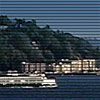
I knew I wanted to go above and beyond the run-of-the-mill style switcher so I decided to create a Live theme. Click the box titled “Live” and the site will reskin itself with a view of Puget Sound as the header. This view is generated every 10 minutes by a Sony DV camcorder pointed out the window of my condo here in Seattle.
Setting It Up
My first instinct when thinking about this project was to buy a webcam with a built-in server like the one from D-Link. It turns out you need to buy their ugly high-end model if you want it to FTP images to a server and it would have cost me a couple hundred dollars. Then I remembered I have a Sony Vaio laptop that has been acting as a very expensive doorstop for the last year or so. I originally bought it to give Windows a fair shot, but six months and three reformats later, I returned to the gentle genius that is OS X. So now that I already had a machine to act as a conduit between the camera and the web, I only needed a standard web cam in order to get connected.
So I drove down to Best Buy and picked up the Creative Labs NX Ultra, an allegedly high quality web cam, for about $75. After playing with it for a day, it became obvious to me that webcams are really only good at capturing objects within a few feet of them. If you’re doing a video chat thing (which I still don’t really understand… it creeps me out), they are great. But to try and point one out the window and capture scenery is futile. The resolution is terrible, the focus isn’t great, and the colors are very washed out. I knew it wasn’t a problem with the camera since indoor objects looked sharp as can be.
Since having a poor quality image as the header of my site was not an option, I then investigated digital still cameras. I have a Pentax Optio S4 that I absolutely love, and thought if I could only find a digital camera which featured unattended operation (shots at specified intervals) and the ability to automatic save to a hard drive over USB, I’d be set. With even just 2 megapixels of resolution, I could get a great shot. After hours of searching, I found out such a camera does not exist! Actually, there was a $900 Panasonic a couple of years ago that seemed to have those features, but it’s no longer being manufactured and I can scarcely find a mention of it anywhere.
Is it is really that hard to build this sort of ability into a digital camera? C’mon, we have red-eye reduction, motion picture capture, sepiatone, and all sorts of other things and we can’t figure out how to take shots at specified intervals and save them? If anyone has a way to do this or knows of a camera that does, please let me know. There are a lot of cameras which claim to be a digital still camera and a webcam, but when it comes to the automatic capturing of frames to a computer, it’s always the webcam functionality which is used, and hence, it is low resolution. So disappointing!
Doorstop #1, Meet Doorstop #2
After talking myself through the webcam disappointment with the help of a little Two Buck Chuck, I realized I had another rarely used piece of Sony technology sitting in my closet: a three year old DCR-TRV8 DV camcorder which has gotten about as much use as you’d expect a Flowbee to get. Something about carrying around a video camera and worsening my own footage with bad commentary just never appealed to me. Watching it afterwards, of course, appeals even less.
The opportunity to connect Doorstop #1 (The Vaio) to Doorstop #2 (The DV Cam) and create something that is more than a doorstop was very appealing, so I wasted no time in setting things up. Within an hour I had the picture pretty well calibrated and focused on Alki Beach, a spot of land in West Seattle, just across Puget Sound from downtown. It’s a great spot to focus on since all sorts of ferries cross at all hours of the day. In addition to ferries, there are occasionally container ships, gigantic cruise ships, and even parasailers in the picture.
Deploying the Image
Even with the DV Cam, the resolution of my captured images wasn’t ideal. The shots exhibited a certain “camcorder dullness” to them and the color saturation was not as nice as I would have hoped for. I first thought of using PHP to do some dynamic post-processing but then settled on a Flash solution instead.
I first overlayed a transparent PNG of blue horizontal lines to simulate tv scanlines. I’ve found that scanlines tend to hide resolution artifacts very well. Since the lines are crisp, they give the illusion that the entire picture is crisp. Additionally, with the lines being blue, they help to saturate the overall color of the image. Using Flash, I dynamically load the most recently image from the server, apply a few color enhancements to it, overlay the scanlines, and then display it as the header for the site. Additionally, I employed PHP to call the image with a timestamp, ensuring that you pull a new live image every 10 minutes and only a cached image from your hard drive in-between.
What’s Next?
All in all, I like how things have turned out so far, but improving image quality is still a concern of mine. I am continuing to investigate options on the digital still camera front and I feel like somewhere, somehow, there is a solution out there.
More important, however, is getting motion detection to work properly. The program I’m using to capture and FTP the images works great and it has an extensive motion detection setting which I was really psyched about. The idea being, if I can capture and upload a new shot whenever a ferry, cruise ship, bird, or parasailer enters the scene, the header would be that much more interesting. The problem is, even if a define a very small area of the image to examine, the motion detection doesn’t seem to detect things that are very far away. It works great if you step in front of the camera or something, but apparently the movement of boats and other outdoor objects just doesn’t seem to trigger it.
The last problem I’m looking to solve is giving the image more prominence in the daytime when there is actually something to see and less prominence at night when the image is very dark and unworthy of acting as a visual centerpiece.
Anyway, that’s a wrap-up of the Puget Sound Cam experiment so far. More changes are on the way…
i’ve read through most of your posts, and your articles are excellent. i have a question related to this particular post – what was the software you used to capture the images from the camera on to the laptop? anyways, excellent site, and i’m a huge fan of your work on espn.com. thanks!
Similar in a way to the weather-dependent headers by Dunstan over at 1976Design – great idea & nice to read what hardware you used to achieve it. Like niv i’d be interested in finding out what you’re using to actually capture the camera images.
I use an app called Active Webcam to capture frames from the Sony, and I have to say, it works pretty well. The only major complaint I have is that the Motion Detection doesn’t seem to operate on actual pixel differences. I can designate a “Motion Detection Area” of only maybe 50 pixels by 50 pixels, and when a boat floats by, it doesn’t even flinch. If I wave my hands in front of the camera, on the other hand, the motion detection triggers instantly.
That makes me think Active Cam is not analyzing pixel regions at all but rather taking other measurements from the camera. This is unfortunate, as all I really need it to do is tell the difference between dark blue water and a white ferry boat.
Are there any really good OS X solutions for FTPing a live image to a website?
By the way, your site (including the live comment preview) is just out of control!
Canon digital cameras have a windows program named Livecapture or something shipped with them. That program gives you the ability to control a usb-connected canon camera.
You could employ a script-driven solution to capture and save images time-based.
Is there a good surveillance app for OS X, especially for DV cameras?
i have the same problem, taking rahter good qualtiy pictures automatically by motion detection by firewired DV. Any experiances/software tipps? i want to check out
http://www.trackercam.com/TCamWeb/index.htm
but i think the best way would be to take two cams, one for exact motion detection (streaming by USB or FW) and another to take the picture (digi cam, by USB).
Such solution possible?
Tom
Canon digital cameras have a windows program named Livecapture or something shipped with them. That program gives you the ability to control a usb-connected canon camera.
You could employ a script-driven solution to capture and save images time-based.
Hi,
I found your site when trying to locate a software that I could use to capture detected motion from a usb camera to my harddrive using os x. There is no such information here and I don’t know why Google sent me here. At anyrate your site is novel and great. Wish someone here knows of the application I’m looking for, along with some other people here, I assume.